
Case study: AI workflow automation
Daily reports from five tools, built automatically
Activity from the CRM, QuickBooks, Postmark, Jotform and Twilio pulled into consistent daily reports without manual exports.
Overview
An operations team needed help with this: activity from the CRM, QuickBooks, Postmark, Jotform and Twilio pulled into consistent daily reports without manual exports.
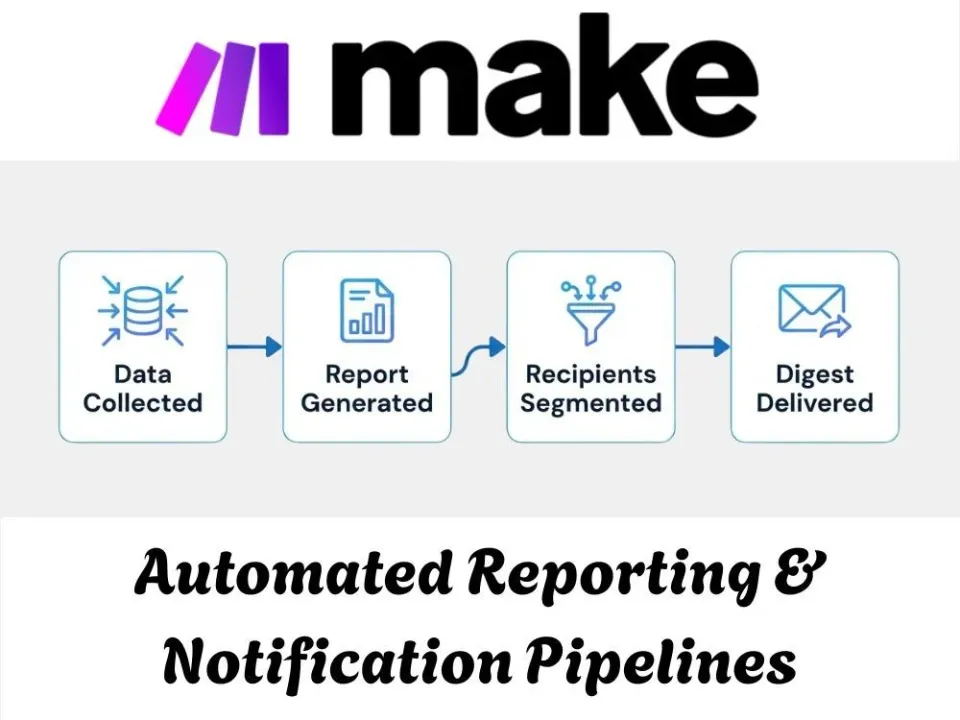
The problem
Each morning someone pulled numbers by hand from the CRM, QuickBooks, Postmark, Jotform and Twilio, then compiled them into a report. Totals had to be counted page by page, figures were split across agreement types, and the report was only as reliable as the person building it that day.
What we built
We built a set of scheduled automations, one per data source, that run every day, page through each system, split the figures where needed and deliver one consistent report. Each automation is described below.
The automations we built
Each automation below handles one part of the workflow. Together they replace the manual steps described above, and each one keeps a record of what it did.
Daily SMS Reporting Automation
The problem: This automation was built for an operations team that needed a reliable daily summary of Twilio SMS activity without manually pulling message logs and compiling them into a report each morning. Before this, tracking message volume meant checking Twilio directly and putting the numbers together by hand, which was tedious and easy to fall behind on, especially once the message count grew large. Now the system automatically pulls the day's messages, handles pagination when the volume goes beyond a single page, and compiles everything into a clean daily report.
How it works: The workflow runs on a daily schedule, first pulling the message count from Twilio to check whether it falls under or over 1,000. If the count is under the threshold, the results are added directly to the report; if it's over, the flow repeats through additional pages, pulling each batch of messages and aggregating the results before adding them to the report. This pagination handling means the report stays accurate and complete no matter how much SMS activity happened that day, without anyone needing to check or adjust it manually.
- Automated daily reporting on Twilio SMS activity
- Eliminated manual compiling of message logs each morning
- Handled high volume days through built-in pagination
- Delivered a consistent, ready to use report every day
Multi-Category Jotform Reporting
The problem: This automation was built for an operations team managing multiple agreement types that needed a single daily report pulling together form submissions without manually checking Jotform for each category separately. Before this, compiling a daily summary meant logging into Jotform, pulling submissions by hand, and sorting them by agreement type before the numbers could even be added to a report, which took time every single day. Now the system automatically pulls form submissions for each agreement type, aggregates the results, and adds everything into one consolidated daily report.
How it works: The workflow runs on a daily schedule, starting with a router that splits the process based on agreement type. For each branch, Jotform submissions are pulled and passed through an array aggregator to organize the data before it's prepared for reporting. The results from each branch are then compiled and added as new rows into the daily report, giving a single consolidated view without anyone needing to check multiple sources by hand.
- Automated daily reporting across multiple agreement types
- Eliminated manual pulling of Jotform submissions each day
- Consolidated scattered data into a single daily report
- Saved time previously spent compiling numbers by hand
Postmark Multi-Category Reporting
The problem: This automation was built for an operations team managing multiple agreement types that needed a single, complete daily view of email activity without manually checking Postmark stats for each email type across categories. Before this, pulling together numbers on welcome emails, reminders, and confirmations meant logging into Postmark repeatedly and compiling the results by hand, which was slow and easy to get inconsistent from one day to the next. Now the system automatically pulls stats for every email type across both agreement categories and compiles it all into one daily report.
How it works: The workflow runs on a daily schedule, starting with a router that splits the process by agreement type, along with a third path for general reporting. For each agreement type, Postmark is called to pull overall stats along with individual figures for welcome emails, ID reminders, NI reminders, and confirmation emails. The results from each path are set as variables and then compiled together, with the final report added as a new row in Google Sheets, giving one consistent daily summary across all email activity.
- Automated daily reporting across all Postmark email types
- Eliminated manual stat pulling for each agreement category
- Consolidated scattered email data into one consistent report
- Delivered a reliable daily summary without manual compiling
QuickBooks Bill Count
The problem: This automation was built for an operations team managing multiple agreement types that needed a single daily bill count report without manually pulling numbers from QuickBooks for each ownership category separately. Before this, tracking bill counts across both groups of owned accounts meant logging into QuickBooks and counting through pages of results by hand, a process that got slower as the volume of bills grew. Now the system automatically counts bills across both ownership categories, paginating through as many records as needed, and adds the final totals into a daily report.
How it works: The workflow runs on a daily schedule, starting with a router that splits the process by owner. For each branch, QuickBooks counts the total bills, then loops through pages of up to 500 bills at a time, aggregating the results into a running total. Once both counts are ready, the flow checks whether a report already exists for the day in Google Sheets, either updating that existing row or adding a new one, so the report stays accurate without any duplicate entries.
- Automated daily bill count reporting across both ownership categories
- Eliminated manual counting through QuickBooks pages by hand
- Handled high bill volumes through built-in pagination
- Prevented duplicate report entries by checking for existing rows
CRM Daily Activity Report
The problem: This automation was built for a sales operations team that needed a single daily view of new deals and contacts without manually pulling numbers from Zendesk Sell each morning. Before this, checking how many new deals and contacts came in that day meant logging into the CRM and counting through pages of records by hand, which took time and didn't scale well as activity picked up. Now the system automatically pulls both deals and contacts created that day, paginating through as many records as needed, and adds the totals into a single daily report.
How it works: The workflow runs on a daily schedule, starting with a router that splits the process into two paths, one for deals and one for contacts. Each path pages through Zendesk Sell in batches of 100, filtering specifically for records created that day, then iterates through the results and aggregates them into a running count. Once both totals are ready, the final numbers are compiled and added as a new row in the daily report, giving one consistent summary of CRM activity without anyone needing to check the platform directly.
- Automated daily reporting on new deals and contacts
- Eliminated manual counting through Zendesk Sell pages by hand
- Handled growing activity volumes through built-in pagination
- Delivered a consistent daily summary without manual compiling
Related
This project is an example of ai workflow automation. If your team has a similar workflow, the pages below explain how we approach it, and the neighbouring case studies show the same ideas in other businesses.